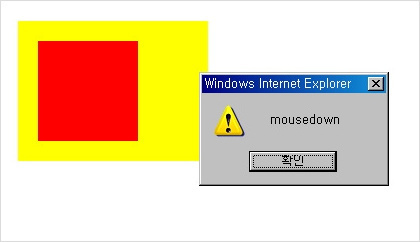
이것은 이벤트 거품의 예입니다. 처음 페이지를 불러온 후 빨간색 부분을 클릭하면 화면 1, 2, 3의 순서대로 경고 창이 나타납니다.
▣ EventBubbling.html
<!DOCTYPE html PUBLIC "-//W3C//DTD XHTML 1.0 Transitional//EN"
"http://www.w3.org/TR/xhtml1/DTD/xhtml1-transitional.dtd">
<html>
<head>
<title>Event Bubbling</title>
<meta http-equiv="Content-Type" content="text/html; charset=EUC-KR" />
<script type="text/javascript">
//<!(CDATA(

function mouseDown(nsEvent) {
        var theEvent = nsEvent ? nsEvent : window.event;
        var locString = "X = " + theEvent.screenX + " Y = " + theEvent.screenY;
        var theSrc = theEvent.target ? theEvent.target : theEvent.srcElement;
        alert(locString + " " + theSrc);
}

document.onmousedown=function (evnt) {
        var theEvnt = evnt? evnt : window.event;
        alert(theEvnt.type);
}

window.onload=setupEvents;

function setupEvents( ) {

        document.getElementById("first").onmousedown=mouseDown;
        document.getElementById("second").onmousedown=function ( ) {
               alert("Second event handler");
        }
}
//))>
</script>

</head>
<body>
<div id="first" style="padding: 20px; background-color: #ff0; width: 150px">
<div id="second" style="background-color: #f00; width: 100px; height: 100px">
</div>
</div>
</body>
</html>
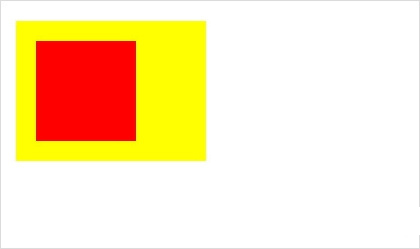
▣ 페이지 불러오기
▣ 제1화면
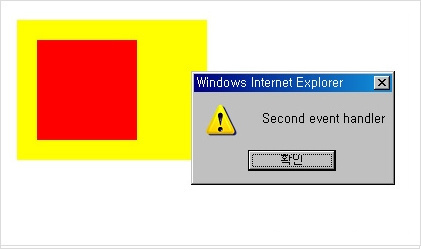
▣ 제2화면
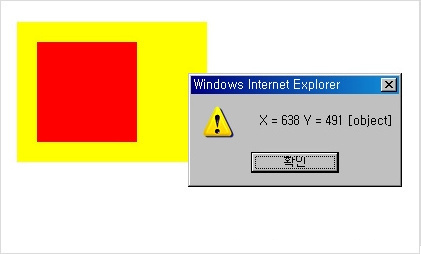
▣ 제3화면